Moving Your Business: What Happens to Your Google Maps Rank
Your map rank follows your pin. In our study, businesses showed in 96.4% of searches within 500 m and none past 5 km. How to move without losing it.
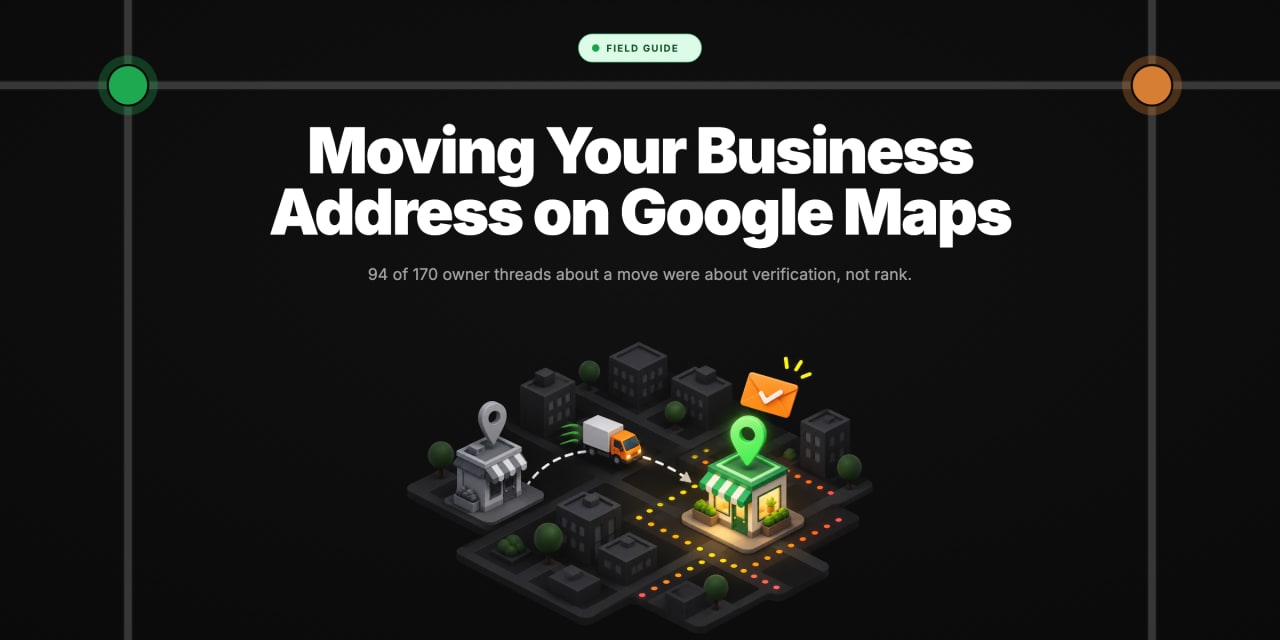
When a business moves, its Google Maps rank moves with it. Google ranks local results partly on distance from the searcher, and it measures that distance from your map pin. In our own study, businesses appeared in the map pack in 96.4% of searches within 500 metres of them and in none beyond 5 km. So a move resets which streets you win, even if nothing else about your Google Business Profile changes. For an owner or an agency, the bigger danger is often the paperwork: of 170 move threads we counted on Google's help forum, 94 were about verification or suspension. This holds as of November 2026.
Quick answer
- Your rank follows your pin. Distance is measured from the address on your profile, so a new pin means a new area where you show up.
- A short move shifts your area. A long one replaces it. Customers near the old address may stop seeing you, and new neighbours start to.
- Google says to edit the existing profile. Its help pages say not to create a new Business Profile because of a change in physical location.
- Expect to verify again. Google says a verified business that moves to a new address must verify again.
- Reviews should come with you. Google says it moves reviews automatically if you keep the same business name.
- Verification is the common failure, not rank. In our count of 170 move threads, 52 were stuck verifications and 42 were suspensions. Only 8 were about rank.
- Don't change the name and address together. Move first, rebrand later, so each change is checked on its own.
- Measure the same grid before and after. Your rank from many points around the new pin shows what the move did.
Why a move changes your Google Maps rank
Your rank changes after a move because one of the three things Google ranks on is distance, and distance is worked out from where your business is. Google's help page on improving your local ranking names relevance, distance and prominence. It defines distance as "how far each business is from the customer who's searching."
The customer's end of that distance is wherever they stand. Your end is your map pin. Move the pin, and every searcher in town is a different distance from you.
Our study shows how tight that link is. We ran the same searches from a grid of points around businesses in 12 markets in July 2026. A business appeared in the map pack in 96.4% of searches made within 500 m of it and in 0% beyond 5 km. Its reviews, categories and photos were the same at every point. Only the distance changed. The method is in our local pack GeoGrid study.
So the area where you rank is drawn around your pin, and it travels with the pin. How far that area reaches is covered in how far your Google Maps ranking reaches.
  YOUR RANKING AREA MOVES WITH YOUR PIN
  (an illustration, not a measurement)

   before the move        after the move
   . . . . . . . .        . . . . . . . .
   . . o o o . . .        . . . . . . . .
   . o O @ O o . .        . . . . . o o o
   . . o o o . . .        . . . . o O @ O
   . . . . . . . .        . . . . . o o o

   @ pin · O strong · o fading · . not shown
Searchers near your old address are now closer to someone else. Searchers near your new one may see you for the first time.
What owners report after they move
Owners planning a move worry about reviews and rank. The threads posted after a move are mostly about getting the new address accepted at all.
We counted the move threads in Google's own forum. On 19 August 2026 we saved the titles of 9,985 threads from the Google Business Profile Help Community. We pulled out every title about a business move or an address change. After removing 19 that only used the same words, 170 were left. We sorted each one by the first problem its title names.
  170 MOVE THREADS, GBP HELP COMMUNITY
  verification stuck    ##################  52
  suspended, disabled   ##############      42
  reviews lost          #######             21
  old listing, pin      #######             21
  ranking, visibility   ###                  8
  other                 #########           26
  titles saved 19 Aug 2026 · our count, 10 Nov
The count says the address edit itself is the risky step. More than half of the threads (94 of 170) are about Google not accepting the change, or suspending the profile for it. People post on a help forum when something has broken, so this shows what goes wrong, not how often.
One owner who ran a tour business described the suspension case plainly:
I updated the address on my Google profile and then the profile got immediately suspended for "deceiptive content".
The 8 ranking threads describe the distance problem from the inside. One title on the Google forum reads "its been over 2 months since our move and our ranking is basically 0 what do i do". Another, from a service-area business, reads:
service area business relocated from melton to canberra still ranking in old city after 5 weeks
Google's official steps to change your business address
Google's route is short: edit the address on the profile you already have, then verify it again. Its page on managing your business address says to enter the new address in the location settings, or set the pin by hand if Google can't find it. It says changes "usually take about 10 minutes to show up" but "in some cases, it can take up to 30 days."
| step | what Google says | Google page |
|---|---|---|
| Edit the existing profile | "Do not create a new Business Profile because of a change in a physical location or ownership." | Move your reviews |
| Verify again | "If you move your business to a new address after it's verified, you must verify your business again." | Edit your profile |
| Wait for review | "We review your changes before we update them live on your profile." | Edit your profile |
| Keep the reviews | Reviews move automatically if you move and keep the same business name | Move your reviews |
| Don't edit while pending | "Do not edit your business name, address, or category" while a verification is open | Verify your business |
Read down the middle column: one edit to one profile, a check by Google, then proof the new address is real. Google's verification page says verification reviews "take up to 5 business days" and recommends video verification where you are offered it.
Get the proof ready before you edit. Most of the stuck threads in our count are video verifications that failed. Before you change the address, check what you can film at the new place:
- Permanent signage with your business name, at the entrance or on the unit.
- The inside of the space where you serve customers or keep your tools.
- Something with the new address on it, such as a utility bill or a lease.
- You at work, opening up, using the equipment, or handling stock.
If the sign isn't up yet, wait. Titles like "video verification rejected 3 times after relocation" recur in our count.
Mark the old place as moved. If a listing still shows at the former address, Google Maps help gives the path: Suggest an edit, then Place closed or not here, then "Moved to a new location," then pick the new spot. Customers driving to the old door was the problem in 21 of the threads we counted.
What to do and what not to do when you move
Edit your existing profile, change one thing at a time, and update the rest of the web once Google accepts the new address.
| action | do it? | why |
|---|---|---|
| Edit the address on your current profile | Yes | It keeps your reviews, photos and history, and Google asks for it |
| Create a second profile at the new address | No, for a storefront | Google says not to, and duplicates recur in lost-review threads |
| Change your business name in the same edit | No | Google's guidelines say a name change can count as a new business |
| Update your website address and contact page | Yes, the same week | Your site should match the profile customers now see |
| Update citations | Yes, after Google accepts | Old addresses send customers to the wrong place |
| Keep the same phone number | Yes, if you can | One fewer detail for Google to check |
The "no" rows share a reason. Each makes the moved business look less like the same business.
Don't stack a rebrand on a move. A Colorado medical practice relocated 8 miles and changed its name in the same period. The owner wrote that the profile was then blocked by Google's duplicate filter "because Google still sees the old entity." Move first. Once the new address is verified and live, plan the name change separately.
Update your other listings after the move is accepted. Your name, address and phone number on directories and maps apps are called citations, or NAP. Google says businesses with "complete and accurate info are more likely to show up in local search results." An old address also sends customers to the wrong door. What a citation clean-up can and can't do is set out in the case where deleting 40 bad citations doubled calls.
Things to change on your own site and elsewhere:
- Your website footer and contact page, with the new address written out in full.
- The map embed on your contact page, pointed at the new pin.
- Your structured data, if your site lists an address in its code.
- The main directories, such as Apple Maps, Bing Places, Yelp and your industry's own list.
- Your social profiles, where the address shows to customers.
Service-area businesses: the move that can strand your rank
A service-area business hides its address and lists the areas it serves. For these, a move can leave rank stuck near the old address.
Whitespark, a local SEO software company, reported this in a January 2024 case study. When a service-area business with a hidden address moved, it wrote, "their rankings stay at the old location." The Melton to Canberra thread above is the same thing from an owner's side.
Sterling Sky, a local SEO agency, published a workaround in November 2023 for service-area businesses only. Its post says a badly handled move can leave a business that "doesn't rank anywhere for several months." The steps it suggests are to set up the new location, match the website and main citations to it, then ask Google support to mark the old listing as moved so the reviews follow.
That conflicts with Google's advice not to create a new profile for a move, and we have not tested either route. Treat editing in place as the default. Treat the support-led route as a fix some agencies use when rank stays stuck, and ask Google support before creating anything.
Widening your service area won't fix a stranded rank either. Distance is still measured from your pin, not from the areas you list, as shown in why widening your service area radius changes nothing.
Moving closer to customers can raise your rank
A move is not always a loss. If the new pin sits closer to where customers search, rank there can rise.
Sterling Sky reported a home-based service business that moved about half a mile, closer to the centre of the area it tracked. The agency saw local pack gains for many of its keywords the next day, and it had not updated the citations for 3 months. It gave no rank positions in the text. It is one case, but it fits the distance rule.
The reverse also holds. A mobile auto repair business with 620+ reviews found newer rivals set up all around its pin:
If you're in certain areas of my city and search for the service, I won't show up in the map pack because the smaller companies are ranking higher simply based on location/proximity to the search.
That owner was weighing a move toward his customers. The new address must be a real place you operate from. Google's guidelines say a rented mailing address you don't work from is not eligible.
Before choosing a new site, look at who already holds the map pack around it:
- Count the rivals within 1 km of the new address for your main search.
- Note how many reviews each has. In our study, among close neighbours, the one with more reviews ranked higher 66.9% of the time.
- Check whether a rival shares the building. Sterling Sky reported a lawyer whose listing kept being filtered out in a building of rival firms, until he moved.
- Look at where your past customers came from, using job addresses or booking records, not memory.
How to measure your map rank before and after the move
Scan your rank from a grid of points around the old address before the move, then around the new one after, with the same keywords. One check from your phone can't show a move, because a move changes the whole area at once.
A grid scan, often called a GeoGrid, searches your keyword from many points on a map and records your position at each one. How it works is explained in what GeoGrid rank tracking is. For a move, you need three scans of that kind:
- A baseline at the old address, two to four weeks before the move.
- A first scan at the new address, once Google shows the new pin.
- Repeat scans at the new address, weekly for the first two months.
| what to record | before the move | after the move |
|---|---|---|
| Grid centre | Old address | New address, plus one scan centred on the old one |
| Keywords | Your 3 to 5 main searches | The same 3 to 5, word for word |
| Grid size and spacing | Pick one, such as 5×5 at 1 km | The same size and spacing |
| Points in the top 3 | Count them | Count them, and note where they sit |
| Average position | Write it down | Compare after several weekly scans, not one |
The extra scan centred on the old address shows which old customers you have lost. The new-address scans show what you gained. A move changes both.
Judge the trend over several weeks, since rank wobbles day to day. How to tell a real fall from noise is covered in real map pack drop or normal fluctuation. If the profile disappears entirely, even for your own business name, check whether it was suspended rather than outranked.
Keep the grid tight. Our study found no appearances beyond 5 km, so points far past that are ones you were never going to win. The distance figures behind that are on our research page.
Bottom line
A move changes your Google Maps rank because your rank area is drawn around your pin. Expect to lose the old streets and gain new ones. The bigger risk is the address change itself: 94 of the 170 move threads we counted were stuck verifications or suspensions. Edit the profile you already have, verify with proof ready, keep the name the same, then update your site and citations. Measure a grid before and after.
RankMap is a GeoGrid rank tracker, and its waitlist is open. Join the waitlist to hear when it launches.
Frequently asked questions
- 01Will I lose my Google reviews if I move my business?
- You shouldn't, if you edit the address on your existing profile and keep the same business name. Google's help page says it moves reviews automatically in that case. Reviews tend to go missing when a second profile is created, or after a suspension and reinstatement. In our count of 170 move threads on Google's forum, 21 were mainly about lost reviews.
- 02Do I have to verify my Google Business Profile again after moving?
- Yes. Google says a verified business that moves to a new address must verify again. Verification reviews take up to 5 business days, according to Google. Video verification is common, so have permanent signage, the inside of the space and something with the new address on it ready to film. Don't edit your name or category while verification is open.
- 03How long does it take for my ranking to settle after a move?
- Google hasn't published a figure. It says profile changes usually show within 10 minutes but can take up to 30 days. Sterling Sky reported rank gains the next day after one short move. A forum thread from a service-area business reported still ranking in the old city 5 weeks later. Scan weekly and judge on the trend.
- 04Should I create a new Google Business Profile at my new address?
- Not for a normal storefront move. Google's help says not to create a new profile because of a change in physical location. Edit the address on the one you have. Some agencies use a different route for service-area businesses with hidden addresses whose rank gets stuck. We have not tested it, and it is best done with Google support.
- 05Can moving my business closer to customers improve my ranking?
- It can. Distance is one of the three signals Google names, and it is measured from your pin. Sterling Sky reported a business that moved about half a mile closer to its target area and gained local pack rank the next day. The new address must be a real place you operate from. A rented mailbox is not eligible.
- 06What should I update after changing my business address on Google?
- Start with your website: footer, contact page, map embed and any address in the page code. Then update the main directories and maps apps, such as Apple Maps, Bing Places and Yelp, plus your social profiles. Do this once Google has accepted the new address. On Google Maps, mark the old place as moved so customers stop going there.
Sources
Primary data, collected by us
- Move threads on the Google Business Profile Help Community
- thread titles saved 19 August 2026 (9,985 threads). We kept every title about a business move or address change, removed 19 that only shared the words, and sorted the 170 left by the first problem named: verification 52, suspended or disabled 42, reviews 21, old listing or pin 21, ranking or visibility 8, other 26. Counted 10 November 2026. Titles only, no thread bodies.
- Local pack GeoGrid study
- collected July 2026. 300 grid cells (5×5, 1 km spacing) across 12 markets. Appearance 96.4% within 500 m of the business, 0% beyond 5 km. Matched pairs within 100 m: review count won 66.9% of 10,890. Published on our research page, linked twice in the body above.
- Search Console query pull
- no query for this topic showed our site in Google in the 90 days to 9 November 2026. Pulled 9 November 2026.
Cited Accessed November 2026.
- Google Business Profile Help, tips to improve your local ranking support.google.com. Supports the three signals; distance defined; accurate info.
- Google Business Profile Help, manage your business address support.google.com. Supports editing the address; 10 minutes to 30 days.
- Google Business Profile Help, edit your Business Profile support.google.com. Supports verify again after a move; edits reviewed.
- Google Business Profile Help, verify your business support.google.com. Supports 5 business days; video; don't edit while pending.
- Google Business Profile Help, move your reviews support.google.com. Supports no new profile for a move; reviews move automatically.
- Google Business Profile Help, guidelines support.google.com. Supports mailing addresses not eligible; name change as new business.
- Google Maps Help, mark a place closed or moved support.google.com. Supports marking a place as moved.
- Sterling Sky, does moving your business impact rankings (Nov 2023) sterlingsky.ca. Supports the half-mile move; the filtered lawyer.
- Sterling Sky, move your service area business (Nov 2023) sterlingsky.ca. Supports the service-area workaround.
- Whitespark, can a SAB move without losing rankings (Jan 2024) whitespark.beehiiv.com. Supports rankings staying at the old location.
- r/GoogleMyBusiness, June 2026 reddit.com. Supports the quoted suspension.
- r/GoogleMyBusiness, August 2026 reddit.com. Supports the auto repair owner's quote.
- r/GoogleMyBusiness, March 2026 reddit.com. Supports the 8-mile move and rebrand.
- GBP Help Community, Melton to Canberra and over 2 months since our move support.google.com. Supports the two ranking titles.
Explore with AI
Share this
Map your real rank across the city.
Free for the first 50 scans. No credit card.
Join the waitlist